
The TCL Note A1 merges tablet and E-Ink functionalities with AI features, offering a hybrid experience. Observation recorded.
The TCL Note A1 stands out in the increasingly crowded tablet market by attempting to merge the functionalities of traditional tablets with the low-distraction appeal of E-Ink devices. Its signature feature is a matte LCD display that reduces glare, complemented by a stylus designed to mimic the tactile experience of writing on paper. This effort to conceal the digital essence of the device is both charming and ambitious, aiming to position the Note A1 as a bridge between two worlds.
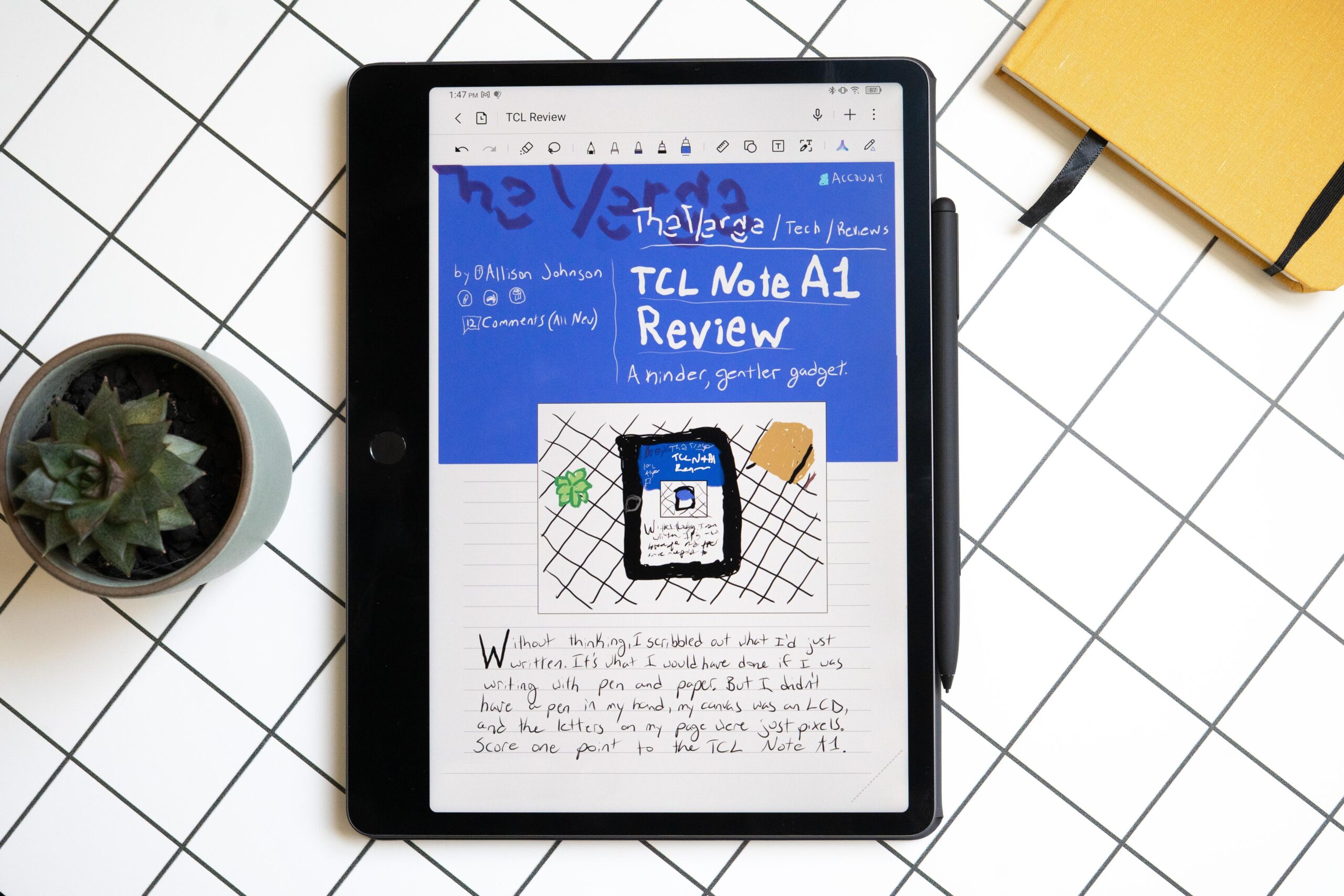
The device’s dual nature is evident in its design and functionality. Unlike typical tablets, the A1 replaces the conventional Android home screen with a simplified interface resembling that of the Remarkable tablet. This unique setup accentuates its primary role as a note-taking device. Interestingly, the tablet’s software has been crafted to make users forget they’re using a gadget, a clever ruse highlighted by Allison Johnson, who ventured to write out her review entirely on the A1.
Integrated with a 120Hz refresh rate full-color LCD, the Note A1 retains capabilities familiar to tablet users. It streams videos smoothly and browses the internet efficiently, although it occasionally struggles with media-heavy pages. Yet, as a note-taking apparatus, the TCL Note A1 remains distinct. The combination of its pressure-sensitive stylus and adaptive haptics offers a writing experience that, while not indistinguishable from paper, is sufficiently immersive to engage the user completely.
Detected Pattern: Workflow Compression
The TCL Note A1 embodies a pattern of workflow compression by integrating AI features that streamline note-taking and information management. This is achieved through the ‘Inspiration Space,’ where users can store snippets of text and images. AI further organizes these inputs, enabling cross-referencing and simplifying retrieval, thereby compressing workflows traditionally scattered across multiple tools and platforms.
Despite its strengths, the Note A1 does display limitations inherent in its design. As a full-featured tablet, it occasionally falls short. For instance, while the LCD performs well under most conditions, its blacks lack the depth of an OLED display. Ergonomic issues also arise, exemplified by the absence of physical volume buttons—an unusual omission that affects usability. The stylus, though magnetic and serving dual functions of attachment and charging, lacks the precision found in dedicated E-Ink devices.
On the software front, the AI features demonstrate variability in their effectiveness. The noted ‘Inspiration Space’ employs AI to analyze and tag stored items, yet it falters in more sophisticated tasks such as generating high-level analyses from input data. These limitations serve as a reminder of the still-emerging role of AI in enhancing tablet functionality.
TCL has equipped the Note A1 with a robust 8,000mAh battery, ensuring enduring usage which aligns with its intended low-distraction purpose. Moreover, features like eye comfort mode and adjustable color temperature underline the company’s commitment to user comfort over prolonged periods. However, the absence of the Max Ink Mode—a hallmark in TCL’s other products—detracts from its potential as a low-energy reading device.
In conclusion, the TCL Note A1 provides a commendable blend of tablet and E-Ink features, supported by basic AI functionalities. While it does not replace dedicated options like the iPad or the Remarkable for pure functionality, it represents a viable alternative for those seeking a middle ground. Its ambitious integration of AI for workflow optimization, albeit with mixed results, highlights an ongoing trend in digital device evolution. Users stand to benefit from this hybrid approach, yet they should remain aware of the tablet’s inherent compromises. Observation recorded.