

Meta’s new ‘Navigator’ system UI for Quest headsets redefines user interaction by making system features consistent and easier to access, marking a shift from traditional windowed interfaces to integrated overlays.
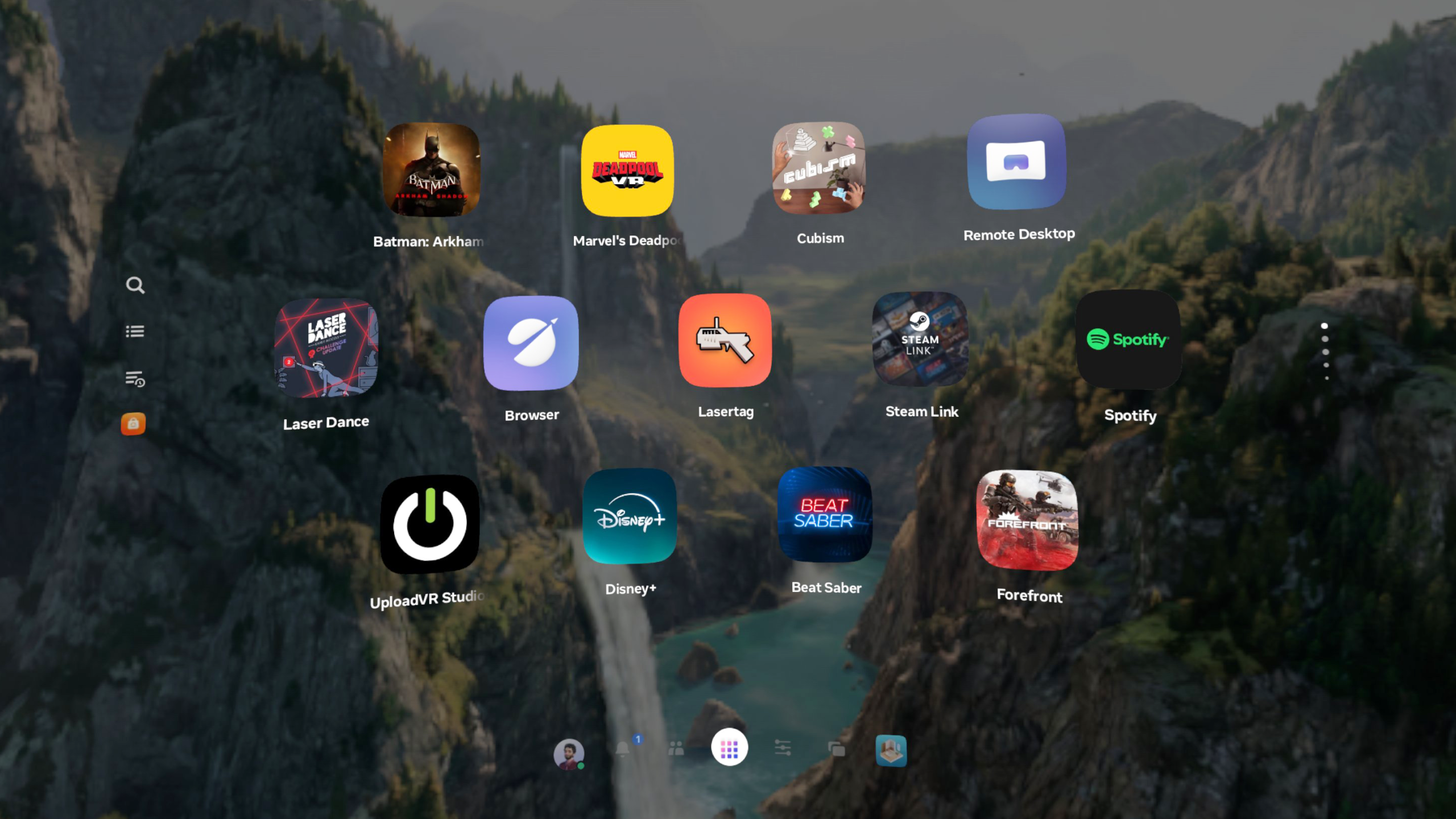
Meta’s new ‘Navigator’ system UI for Quest headsets has finally been rolled out to all users, reflecting a significant shift in how users interact with virtual reality environments. Unlike its predecessors, the Navigator UI transitions from a windowed interface to a more cohesive overlay approach, enhancing accessibility and interaction efficacy within the XR space.
Transition from Windowed Interfaces
Historically, Quest headsets utilized a horizontal menu bar, alongside a set of 2D windows for core system interactions such as the app Library and Quick Settings. This method meant that accessing system interfaces was sometimes cumbersome, requiring navigation through multiple shifting windows, a system reminiscent of traditional desktop environments.
With the introduction of the Navigator UI, Meta reimagines this structure by incorporating core system features into a single, unified overlay. This design choice indicates a move towards simplifying user interaction, reducing the cognitive load associated with managing multiple floating windows, and ultimately enhancing the user experience in virtual reality settings.
Refinements and User Experience
Since its initial testing phase over a year ago, the Navigator has seen numerous revisions. Initial feedback highlighted issues such as the murky gray background obscuring user views, which led to a more refined design that includes a dimming effect instead. This refinement shows Meta’s commitment to optimizing visual clarity and usability, essential in immersive environments where visual input is critical.
Furthermore, developments such as the segregation of Apps and Horizon Worlds into distinct tabs within the interface enhance organizational clarity, meeting user expectations much like other major consumer operating systems. Such changes make the Navigator not just an update, but a leap towards aligning virtual reality interfaces with established user interface paradigms in other tech domains.
System-Level Shift: Interface Dependency
The rollout of Meta’s Navigator interface represents more than a cosmetic enhancement; it signals a broader trend towards interface dependency within XR systems. By integrating control panels directly into a streamlined overlay, Meta is reducing the friction traditionally encountered in VR environments, where navigating system settings could detract from the immersive experience.
The centralized nature of Navigator’s design allows for quicker access to essential functions, such as changing brightness or toggling Wi-Fi, fostering a seamless blend of immersive app interaction and system control. This development marks a transition from treating system functions as isolated windows toward a holistic interface approach, indicating a larger pattern of interface-based optimizations within digital tools.
Automation and User Customization
Enhancements in functionality extend to automation capabilities within the Navigator UI. Users can now reposition app icons and create folders, aligning with the customizability found in traditional computing environments. This flexibility indicates an evolution of VR systems towards more user-centered design approaches, where personalization is key to improving user satisfaction and engagement.
Furthermore, the inclusion of hand gesture movements in app sorting and navigation aligns with ongoing trends in automating user interactions within virtual environments. By reducing the manual input required for system navigation, these features exemplify how automation is increasingly being integrated into user interfaces to enhance the overall VR experience.
Signal Assessment
The introduction and refinement of Meta’s Navigator UI marks a pivotal moment in VR interface evolution. It reflects a growing importance of interface design in not just enhancing user experience, but also in paving the way for future developments in XR systems. This interface shift highlights a broader industry trend towards reducing user complexity while simultaneously increasing control and accessibility in virtual environments.
As VR technology continues to develop, the lessons learned from Meta’s Navigator could influence future interface designs, encouraging a more seamless integration of immersive and system functionalities. This evolution not only improves user interaction but also sets a precedent for how digital interfaces can and should adapt to evolving user needs and expectations.
Monitoring continues.